Ontario washroom cleaning records
For the Jan 1, 2026 record requirement: show the two most recent cleanings, keep the record up-to-date, and export proof anytime.
What the requirement means (plain English)
Workplaces commonly interpret Ontario’s washroom record format requirement as:
- Show the date and time of the two most recent cleanings for each washroom
- Make it posted in/near the washroom or electronically accessible with directions
- Keep it up-to-date (so it’s credible when someone asks)
Official sources (Bill 190 / O. Reg. 480/24)
If you’re seeing “Bill 190” in searches, it refers to the Working for Workers Five Act, 2024. Ontario Regulation 480/24 is commonly cited for the washroom record format requirements.
Official source: Ontario Regulation 480/24
Official source: Working for Workers Five Act, 2024 (Bill 190)
Note: This is informational only and not legal advice. Please verify requirements with official guidance.
RESTROOM CLEANLINESS, INSPECTION-READY
The fastest no-hardware way to be ready when asked
LooThru gives you a QR code sign + a public record view (two most recent cleanings) + time-stamped history you can export — using the phones you already have.
No tablets. No scanners. No staff accounts.
Worried about prank reports?
LooThru at a glance
One loop: visitors report → staff clean → you have proof.

What you get immediately
A clear “what happens next” path — without chasing anyone.
Printable QR code sign
Post once, reuse forever — with clear directions.
Instant issue reporting
Visitors can report issues from the QR code page, so you can respond before it turns into a bad review.
Public record view
Shows the two most recent cleanings, ready when asked.
What you need to do (effective Jan 1, 2026)
In plain terms, the record format requirement commonly includes the date and time of the two most recent cleanings for each washroom, and requires the record to be posted in/near the washroom or electronically accessible with directions.
Official sources (Bill 190 / O. Reg. 480/24)
If you’re seeing “Bill 190” in searches, it refers to the Working for Workers Five Act, 2024. Ontario Regulation 480/24 is commonly cited for the washroom record format requirements.
Official source: Ontario Regulation 480/24
Official source: Working for Workers Five Act, 2024 (Bill 190)
Note: This is informational only and not legal advice. Please verify requirements with official guidance.
Get compliant in 10 minutes
Create a location, add washrooms, print the QR code sign, then record the first cleaning.
Screenshots
Public record view + printed sign + staff flow
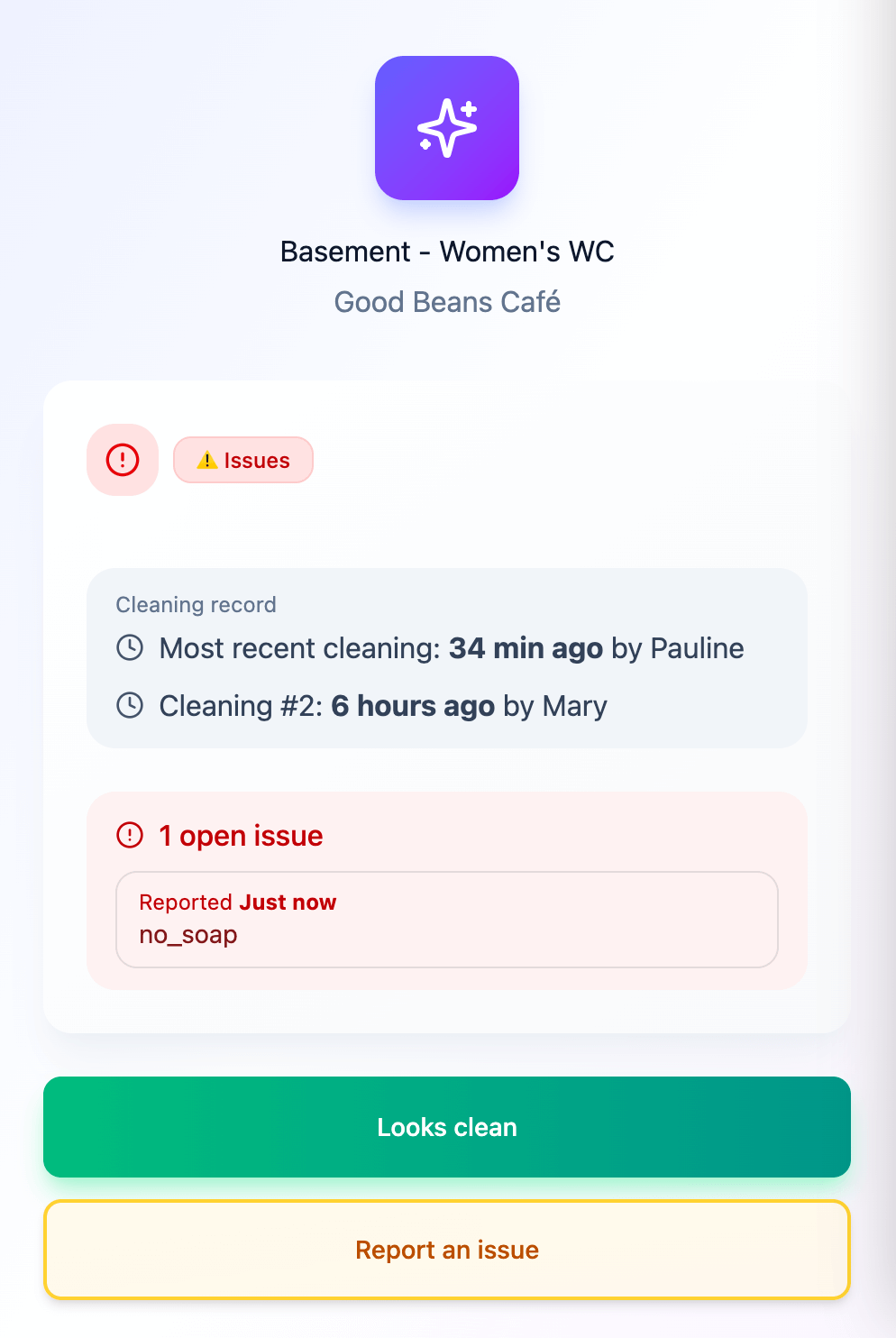
Public record view
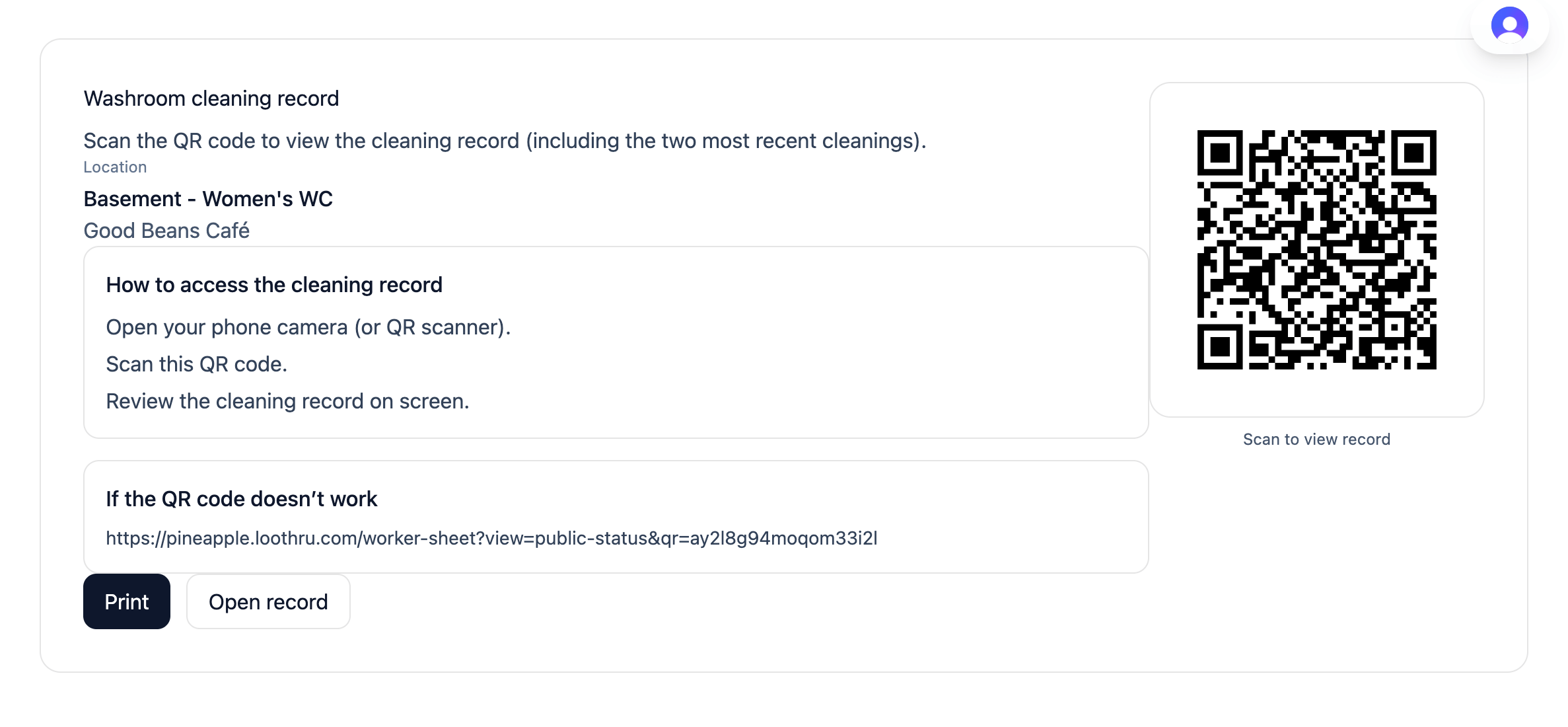
Printable QR code sign
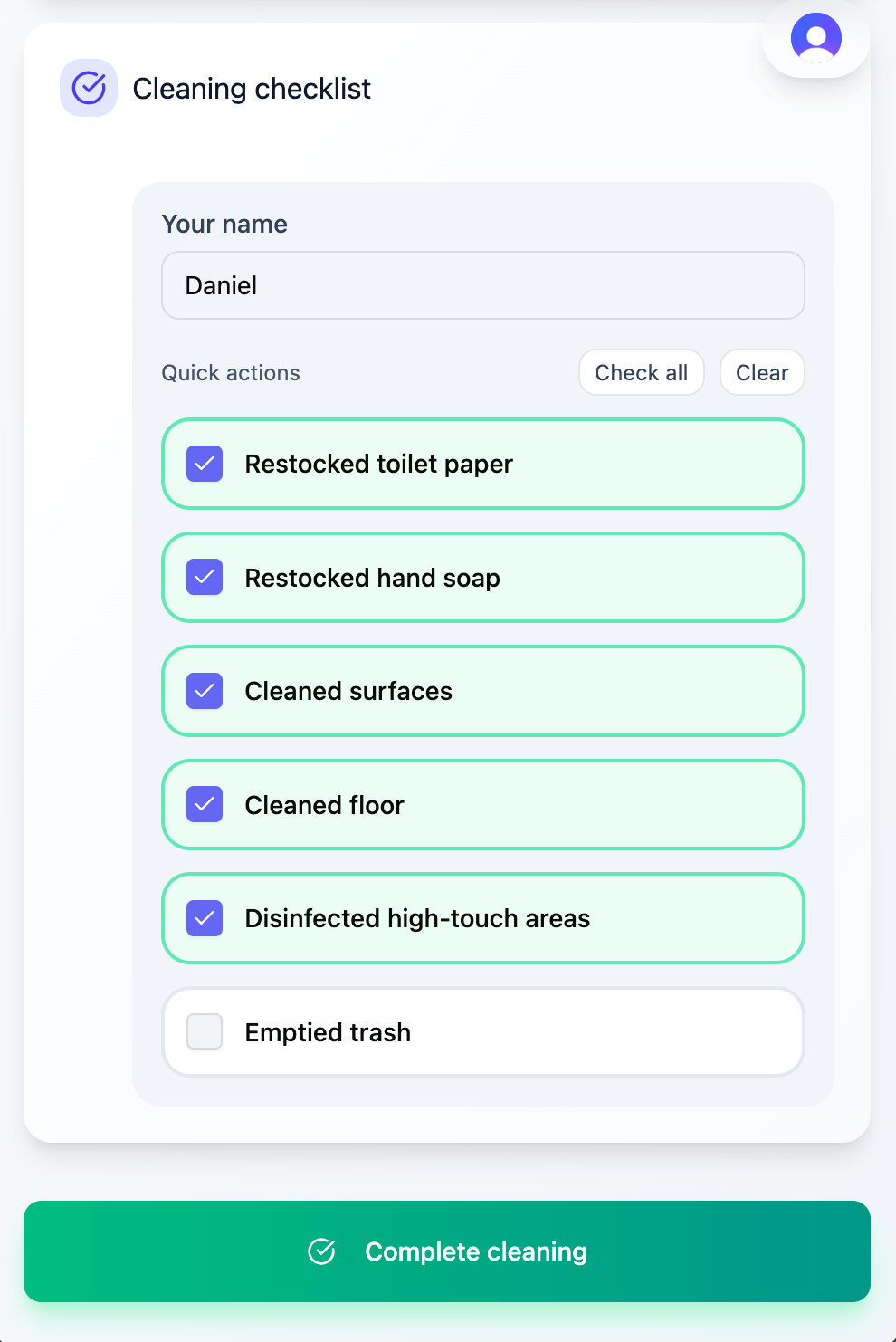
Staff cleaning (no accounts)
Paper vs LooThru (quick comparison)
| Paper record (clipboard) | LooThru QR code records |
|---|---|
| Can be filled in later | Time-stamped when recorded (more credible than paper) |
| Owner/manager must physically check | See status from anywhere |
| Monthly printing and replacing sheets | Print once, then reuse forever |
| Binder hunt when someone asks for proof | Download/share in seconds |
| Issues are informal (verbal/text) | QR code issue reporting + resolution |
| Hard to manage multiple washrooms | One dashboard across washrooms |
Proof when asked: export your records anytime
Download your activity history (CSV) when someone asks for records.
| timestamp | eventType | name | bathroomName | description | details |
|---|---|---|---|---|---|
| 2026-01-09T14:55:09.762Z | bathroom_cleaned | Jana | Food Court – Accessible | Food Court – Accessible marked clean by Jana | Tasks: Restocked paper, Restocked soap, Cleaned surfaces, Cleaned floor |
| 2026-01-09T14:50:09.762Z | issue_reported | Visitor | Cinema – Women's | Issue reported for Cinema – Women's | |
| 2026-01-09T14:40:03.762Z | issue_resolved | Demo Location Manager | Cinema – Women's | Issue resolved for Cinema – Women's |
Includes events like: bathroom_cleaned, issue_reported, issue_resolved, and note.
Audit columns (optional)
The full export includes core activity fields plus optional technical audit fields (auditRequestId, auditClientIp, auditUserAgent, auditSessionFingerprint).
Audit fields are technical anti-abuse/troubleshooting signals (not marketing).
FAQ
Common questions about Ontario washroom cleaning records
What does O. Reg. 480/24 require on the washroom cleaning record?
Ontario’s washroom cleaning record requirement includes the date and time of the two most recent cleanings for each washroom, and requires the record to be posted in/near the washroom or electronically accessible with directions. Always verify requirements with official guidance.
Do staff need accounts?
No. The staff cleaning flow is login-free: staff enter your venue staff code and a name, then complete a short checklist. You can rotate the staff code anytime.
Can I export records (CSV)?
Yes. Managers can export activity history (CSV) any time, within your retention window.
Where do I get the printable paper template?
If you prefer paper, use the free printable template (PDF).
Note: This page is informational only and not legal advice. Please verify requirements with official guidance.